Digital Distraction: 5 App Blocker Tools to Help High School Students Focus While Studying
The modern high school experience has undergone a complete shift in its academic environment. Where students once struggled simply to locate resources in physical libraries, they now navigate a vast digital ocean of instant information. While this technological evolution offers incredible advantages, it introduces a major barrier to deep learning: chronic digital distraction high school students face on a daily basis.
When opening a tablet or laptop to review literature notes or study biology terms, students are immediately met with an onslaught of notifications, algorithms designed to keep them scrolling, and group chats that never sleep. This continuous stream of sensory input makes it incredibly difficult to build momentum and achieve true conceptual retention.
For high schoolers aiming for top marks, understanding how to stay focused while studying is no longer just about self-discipline; it requires utilizing specialized software to build boundaries against digital noise.
This comprehensive guide explores the psychological impact of digital interruptions and details the best app blocker tools for studying to help teenagers build distraction-free environments and protect their precious study hours.
1. The Modern Battleground of High School Academics: Why Digital Distraction is at an All-Time High
High school students today are tasked with completing complex curricula under a cloud of constant digital noise. Social media platforms, mobile gaming notifications, and instant messaging services are designed by teams of software engineers specifically to capture and maintain human attention. For a teenager whose prefrontal cortex—the area of the brain responsible for impulse control and long-term planning—is still developing, resisting these persuasive design elements through sheer willpower is nearly impossible.
The primary issue is not that students lack a desire to succeed. Rather, they are simply outmatched by the sophisticated algorithms on their devices. Every ping from a phone pulls a student out of their study flow, requiring massive cognitive effort to return to the task at hand.
By recognizing that digital distraction high school students experience is a structural design issue rather than a personal failing, families can approach the problem constructively. Re-engineering a teen’s study space using modern tech solutions allows them to study smarter, retain information faster, and reduce academic stress.
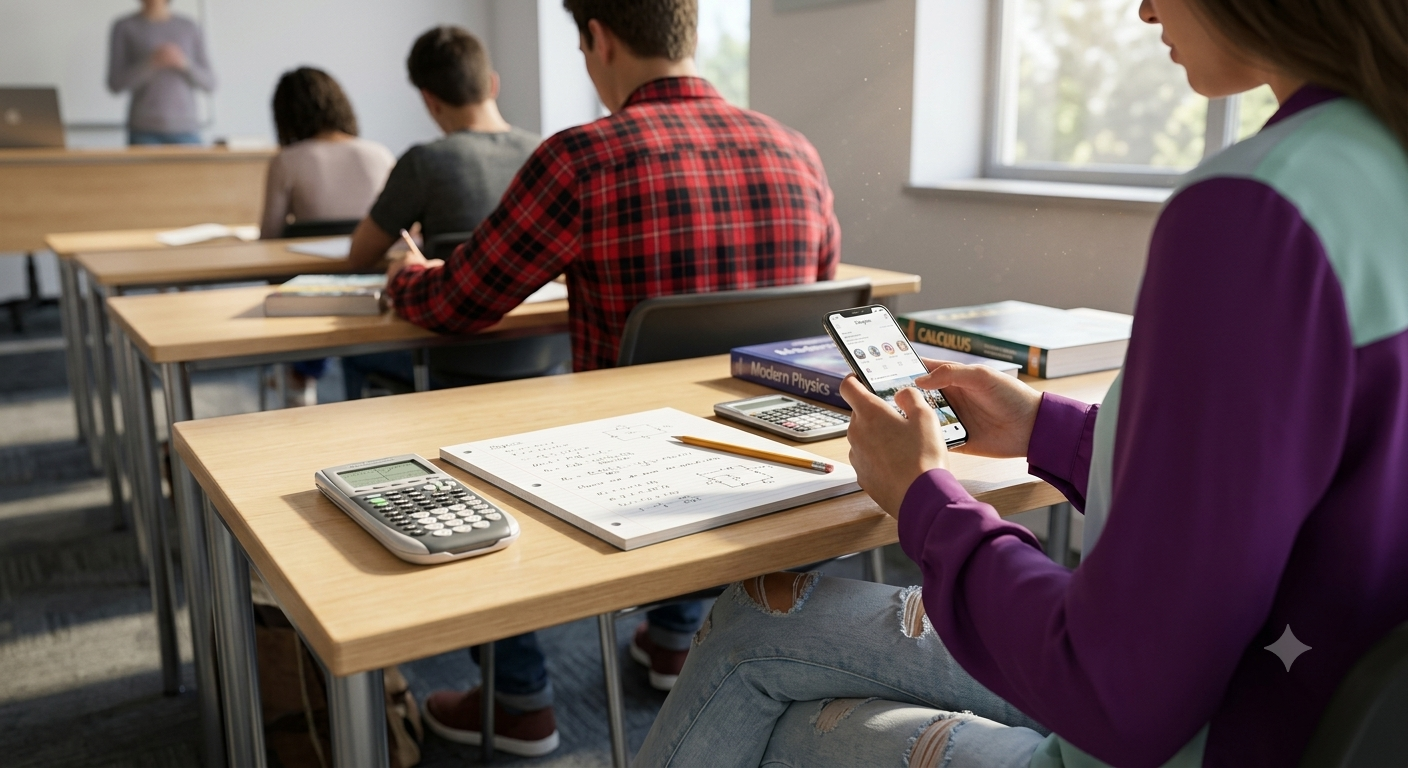
2. Understanding the Psychological Toll of Constant Notifications on Teenage Brains
When a student is deep in study flow, their brain is forming new neural connections, synthesizing information, and moving concepts from short-term memory to long-term storage. This process of consolidation requires continuous, uninterrupted cognitive focus.
However, when a device flashes a new notification, the brain experiences a sudden surge of dopamine—a neurotransmitter associated with reward and anticipation.
This immediate gratification loop trains the brain to seek out minor distractions rather than push through the challenging, uncomfortable phases of academic problem-solving. This frequent attention-switching leads to what cognitive scientists call “attention residue.”
Even after a student puts their phone down to return to their notes, a portion of their cognitive capacity remains anchored to the digital interaction they just had. Over time, this constant mental fragmentation breeds fatigue, lowers comprehension, and increases the time required to complete assignments.
Implementing targeted app blockers for productivity breaks this visual feedback loop, giving the teenage brain the peaceful mental runway it needs to tackle challenging high school concepts.
3. How App Blockers Reclaim Cognitive Space for Deep, Meaningful Learning
The primary purpose of an app blocker is to introduce healthy friction between a user and their digital temptations. In behavioral psychology, introducing even a brief delay or obstacle to a bad habit is one of the most effective ways to break it.
When a student tries to mindlessly click on a social media shortcut during a study session, only to be greeted by a calm, locked screen blocking the app, the automated loop is interrupted. This brief pause forces the student to reflect on their actions, encouraging them to return to their schoolwork.
Moreover, utilizing screen time management for teens changes how students perceive their study blocks. Instead of viewing study sessions as a grueling test of willpower, they can rely on technology to handle the heavy lifting of self-control.
By removing the option to check notifications, the mental debate of “Should I check my messages now?” is completely eliminated. This free cognitive energy can then be directed entirely toward understanding class materials, helping students complete their homework faster and enjoy more guilt-free free time.
4. Selection Criteria: What Makes an App Blocker Effective for High Schoolers?
Not all productivity applications are built equal. While searching for the right system, families should look beyond flashy interfaces and identify software that aligns with a student’s unique personality and learning environment.
To evaluate the best tools, we used several key benchmarks:
Platform Compatibility: Can the tool block distractions across both mobile devices and desktop computers?
Customizability: Can students create customized blocklists for specific classes, or must they block the entire internet?
Bypassing Resistance (Strict Mode): Does the tool include options that make it difficult or impossible to disable a block session mid-way through?
Student Data Safety: Does the app respect user privacy and adhere to secure data-handling practices?
By measuring applications against these rigorous standards, we have isolated the top five digital utilities designed to cultivate focus, minimize procrastination, and support students in their academic journeys. For parent-focused evaluations of diverse educational applications, Common Sense Media stands out as the global standard for safety and suitability reviews.
5. Forest: The Gamified Focus Timer That Turns Productivity Into a Lush Virtual Garden
For students who thrive on visual rewards and struggle with traditional, rigid blockers, Forest App is an exceptional, highly interactive option. Forest gamifies the process of staying focused by turning study intervals into a charming environmental simulation.
When a student is ready to study, they plant a virtual seed in the application and set a custom timer. As they focus on their notes, the seed slowly blossoms into a beautiful tree. However, if the student leaves the app to scroll through social media or play a mobile game, their virtual tree instantly withers and dies.
Over time, consistent study habits allow students to cultivate a unique, lush virtual forest.
The platform features a highly motivating peer system where study groups or classmates can plant trees together; if a single member checks their phone, the entire group’s tree is lost. This cooperative accountability makes Forest one of the most engaging and creative best app blocker tools for studying available today.
Furthermore, users can spend virtual coins earned during focus sessions to trigger the planting of real-world trees, linking academic progress with global reforestation efforts.
6. Freedom: The Ultimate Multi-Device Blocker to Eliminate All Online Distractions
If a student’s primary struggle is that blocking social media on a phone simply causes them to open the same sites on a tablet or laptop, Freedom Blocker provides the perfect, all-inclusive solution. Freedom is widely recognized as one of the most robust, cross-platform app and website blockers in the software industry.
What makes Freedom incredibly powerful is its ability to synchronize blocking sessions across all of a user’s connected devices simultaneously. If a student initiates a “Deep Study” block session, distracting websites, social media platforms, and gaming servers are locked across their Mac, Windows PC, iOS tablet, and Android phone.
The application allows users to design multiple custom blocklists, schedule recurring focus sessions that align with their daily school schedule, and utilize “Locked Mode.”
Locked Mode prevents a student from canceling or altering an active session, completely eliminating the temptation to bypass their own rules when homework gets tough. It is an exceptional, industrial-grade tool to eliminate digital distractions across the entire digital ecosystem.
7. Cold Turkey: The Ultra-Strict Desktop Blocker That Defeats Every Workaround
For students who have developed a habit of editing system settings, changing browser extensions, or adjusting clocks to bypass their app blockers, Cold Turkey Blocker offers an unshakeable, highly secure solution. Built specifically for desktop computers (Mac and Windows), Cold Turkey is famous for being incredibly difficult to bypass once activated.
Cold Turkey allows students to block specific domains, keywords, applications, and even their entire internet connection with a single click.
The tool’s standout feature is its absolute commitment to its locks. If a student attempts to uninstall the extension, access hidden browser windows, or force-quit the application via their computer’s task manager while a block session is running, the system will actively prevent them from doing so.
This uncompromising design forces students to accept the block and focus on their academic assignments.
It is an incredibly practical utility for high school students preparing for major national standardized exams, where long hours of uninterrupted computer-based writing and research are required.
8. AppBlock: Customizable Mobile Profiles Tailored to Your Study Schedule
For students seeking a mobile-first, highly adaptable blocker that matches their fluid daily schedule, AppBlock Utility is an outstanding option. Available for both iOS and Android, AppBlock excels at creating targeted, location-based, and time-driven blocking profiles.
With AppBlock, students can set up a “School Profile” that automatically activates during classroom hours, blocking all non-educational apps and silencing notifications.
Upon returning home, their “Study Profile” can take over, allowing access only to essential digital books, school communication portals, and calculators while locking distracting social platforms.
The application features a robust “Strict Mode” that uses device accessibility settings to prevent uninstallation or setting changes during active focus blocks.
It also provides comprehensive daily and weekly statistics, allowing students and parents to track screen time trends and identify which specific applications cause the most frequent distractions. This makes AppBlock one of the most versatile student productivity apps free of invasive tracking or complicated setup paths.
9. Opal: The Premier Screen Time Assistant for Mindful Tech Consumption
For iOS and Android users who appreciate modern, visually stunning design paired with deep integration into modern smartphone operating systems, Opal Screen Time is an elite productivity choice. Opal approaches screen time management not as a punitive system, but as an encouraging partner in digital wellness.
Using Apple’s secure Screen Time API, Opal allows students to create highly customized blocklists and recurring study schedules.
When a student attempts to open a blocked application during an active session, instead of a harsh error message, Opal displays a beautiful screen featuring motivational quotes, calming color gradients, or short breathing prompts designed to encourage mindfulness.
The application also introduces a unique “Focus Score” that rates a user’s daily device usage based on how productivity-friendly or distracting their active apps are.
By comparing progress against global benchmarks and earning colorful milestones, students can turn their journey toward digital discipline into an encouraging game. Opal’s commitment to local, device-level processing also ensures that a student’s personal browsing data remains entirely private and secure.
10. Best Practices: How Parents and Students Can Implement App Blockers Without Friction
Introducing app blockers into a household or study routine can occasionally cause friction if handled incorrectly. To ensure these tools are viewed as empowering support systems rather than tools of surveillance, families should follow these proven guidelines:
Involve the Student in the Decision: Sit down with your teenager to discuss which specific apps they feel distract them the most. Allow them to select the tool (like Forest for gamification or Freedom for multi-device lockouts) that fits their personality best.
Focus on “White-Listing” Rather Than “Black-Listing”: Instead of trying to block thousands of bad websites individually, configure blockers to allow access only to a small, curated list of educational portals, digital notebooks, and school email accounts during study hours.
Lead by Example: Parents can encourage digital wellness by setting up their own blocking profiles during dinner or family hours, demonstrating that managing screen time is a healthy habit for all age groups.
Emphasize “Safe Failure” and Growth: If a student struggles with a block or finds a workaround, treat it as a design problem rather than a disciplinary issue. Adjust the software settings together to find a more robust configuration.
By establishing these collaborative practices, app blockers can transform from restrictive controls into positive habits that promote lifelong digital wellness.
11. Actionable Checklist: Transitioning from Constant Scrolling to Deep Academic Focus
To help high school students successfully integrate these blockers into their weekly study routines, follow this step-by-step roadmap:
Step 1: Download and Sync (Sunday Afternoon): Install your chosen app blocker across all your devices and ensure your custom blocklists are configured.
Step 2: Establish the “Study Zone” (Daily): Clear your physical workspace of clutter, open your school notebooks, and set your study goals for the day.
Step 3: Trigger the Block (1 Minute Before Studying): Start your focus session (or launch your virtual tree in Forest). Let the software handle the responsibility of keeping distractions at bay.
Step 4: Execute the Study Block (45 Minutes): Focus entirely on your coursework. If you feel a sudden impulse to check your phone, ignore it and let the urge pass naturally.
Step 5: Enjoy Mindful Breaks (10 Minutes): Once your timer expires, take a physical break—stretch, drink water, or walk around—rather than instantly opening social media, allowing your brain to rest and recover.
Following this structured loop ensures that studying remains highly productive, saving hours of wasted time and boosting overall academic morale.
12. Conclusion: Taking Back Control of Your High School Journey from Algorithms
Succeeding in high school does not require turning your back on modern technology. Instead, it is about learning how to master your digital tools rather than letting them master you.
By pairing your determination with powerful, cutting-edge software like Forest, Freedom, Cold Turkey, AppBlock, or Opal, you can establish absolute control over your study environment and eliminate the stress of late-night cramming sessions.
Whether you prefer the gamified visual progression of growing a virtual garden or the unshakeable security of a multi-device lock, there is a perfect app blocker waiting to protect your focus.
Explore the resources outlined in this guide, customize your digital boundaries, and step confidently into your study zone ready to reach your full academic potential!